Overview
The Primary Source Data report allows you to view the specific details of the primary sources we have verified depending on the provider type. This includes state licenses, DEA licenses, NPDB, and Board Certifications.
Once the primary source verification (PSV) is complete for a practitioner's credentialing event, a report will be available on the credential event page highlighted below. To access, go to a practitioner's credential event. On the middle of the page is a link to the Credentialing Summary Report, previously named the Primary Source Credentials Report.
Credential File Info
The Credential File Information section will contain the following details
- Reported Prepared For: Your organization name will display here
- Report Due Date: The date the PSV report was due. For initials that is typically set 2 weeks from when the file was imported. For recreds, this will be the the date either imported for your providers or based on the last approval date plus the time period for your recredentials.
- Completed Date: The date the PSV was completed
- andros Report ID: The unique identifier of the credential event.
Provider Under Review
Provider details containing the following information
- Name: Provider Name
- Provider Type: The type of provider. For a full list of the provider types see Valid Provider Type
- NPI: Provider's Type 1 NPI
- Date of Birth: Provider's Date of Birth
Primary Sources Checked
List of primary source verification that were verified based on the provider type rules.
The icons next to each verification type represent the following:
| Clean | PSV has been complete and is clean | |
| Alert | PSV is complete and has been alerted for further review |
To learn more about alerts and what they represent, go to There’s a flag next to a PSV. What does this mean?
Each verification will highlight the date the verification was completed and which member of the andros team verified it.
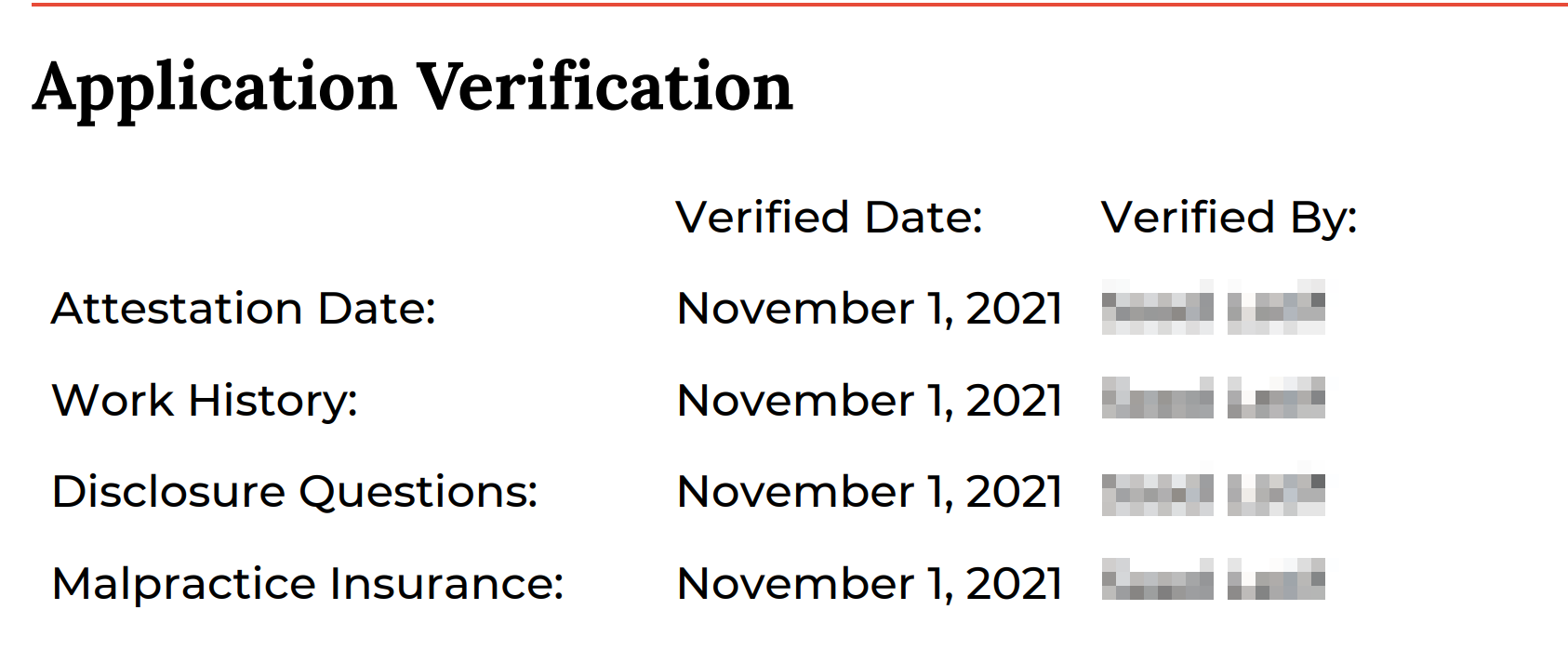
Application Verification
The application verification section highlights the date the provider's application was verified and who verified it by element of the application. It also highlights if any disclosure questions were answered unfavorably.
 Education/Training
The education and training section will display the CAQH education and institution data when available for practitioners with initial credentialing event files. When available, the information will include Institution Name, Training Specialty, Completion Date, Verified Date, and who it was verified by.
*Please be advised that this verification currently only shows for providers who submitted a CAQH application for initial credentialing.
NPI Verification
The section will have all of the information verified related to the NPI from NPPES
State Licenses
This section will contain all of the state license information.
- Licenses not provided by Clients or attested to by Providers will not “Alert” the Overall State License Request, however this information will now be displayed in the PDF to provide more information on the data we pulled in about the provider. Note: if there is a disciplinary action or if an unreported license has expired less than 5 years ago, this will cause an alert in the report.
- Individual licenses will now have a “Clean” or “Alert” Status on the PDF that is separate from the Overall Clean/Alert Status in the Summary at the top of the file. Having the individual license alert will make it easier to find which licenses may be causing the Overall State License Flag to be Alerted.
- Any reported licenses that cannot be verified will now be shown in the PDF rather than as an attachment on the Provider’s Profile.
- If you provide a primary practice state during provider import, we will validate if a license existing in those states provider. If no license exists you will see an alert on the State License Request at the top of the report. If you wish not to check against primary practice states do not add that to your provider import files
|
Field Name |
Description |
||||||
|
Name |
Providers Name |
||||||
|
Address (City, State) |
Address on source for license |
||||||
|
License Number |
License number on source |
||||||
|
License Status |
Status of license from source |
||||||
|
License State |
License State |
||||||
|
License Type |
License Type |
||||||
|
Profession |
Profession from source |
||||||
|
Other Information |
Other information if listed on source |
||||||
|
Issue Date |
License issue date |
||||||
|
Expiration Date |
License Expiration date |
||||||
|
NEW - Verification Status |
|
||||||
|
Verified Date |
Date the license was verified from on the source |
||||||
|
NEW - Source |
The primary source verification where the license information was verified from. |
||||||
|
NEW - Client or Practitioner Reported License |
If the license was on the application or provided at import from the client. |
DEA
In this section will find the DEA information if available. If no information can be found, a message stating that will be displayed
Sanctions
This section will contain OIG and SAM verifications. We also include the NY OMIG exclusions as an included verification.
Boards
A summary of ABMS and Non ABMS Board information will display in this section
Medicare Opt Out
This section will indicate whether the provider has opted out of Medicare.
NPDB
A report of the NPDB Continuous Query will be displayed in this section. Any reported malpractice or actions will be displayed if applicable
Have more questions? Get help here.
Comments
0 comments
Article is closed for comments.